
Anomaly Lockdown controls
Human binds, hotbar 1-0, radio, QTE, surrender, SCP abilities, and the removed lean.
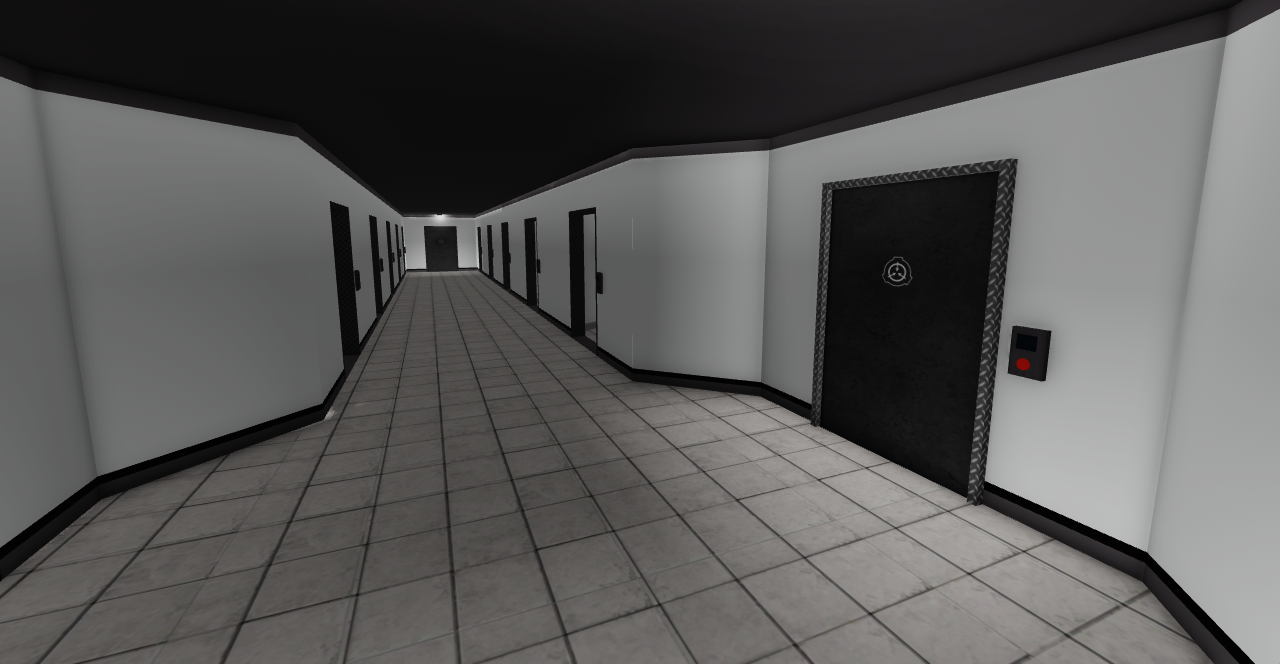
Anomaly Lockdown is a first-person Roblox shooter with a lot of keys competing for the same fingers. This page is the bind sheet for humans and SCPs. It assumes you already know the round loop from Getting Started. If a prompt on screen disagrees with this table after a patch, trust the live prompt and then check patch notes. Console play needs a mouse and keyboard. Mobile has aim assist and an inventory display toggle in settings; the keyboard list below is still the language the rest of the wiki uses.
Default human binds
| Action | Key |
|---|---|
| Move | WASD |
| Sprint | Shift |
| Crouch | C |
| Interact / pick up / doors | E |
| Inventory | Q |
| Reload | R |
| Radio | F |
| Night vision goggles | N |
| Votekick / mod call | F3 |
| Surrender | H |
| Freecam | Shift+P |
| VIP panel / vote yes | F4 |
| Vote no | F5 |
| Hotbar slots | 1 through 0 |
Leaning used to live on F while aiming a gun. That lean was removed on August 25, 2026. F is radio now. If a year-old video tells you to peek a 173 corner by leaning, ignore it. You hold the angle with WASD and C, or you do not hold it.
Movement, guns, and the hotbar
WASD is omnidirectional strafe, not tank controls. Shift sprints until stamina or the animation says otherwise; do not sprint around 939. C crouches for low windows, catwalks, and the kind of 914 booth you want to disappear into. R reloads the equipped firearm. There is no separate aim-lean and there is no controller-only hip-fire trick that replaces mouse aim on console.
Q opens the inventory. Number keys 1 through 0 snap to hotbar slots so you can swap card, gun, medkit, and grenade without staring at the grid. Put the keycard on 1 and the primary on 2. That is the difference between swiping a checkpoint under fire and dying with the bag open. Night vision is N. Turn it on in Heavy Containment even if the lights look fine; 966-Zenith is why the bind exists. Details on that fight are in How to Survive.
E is the universal interact: doors, cards, elevators, 914 Intake, warhead terminal, escape pad, cuffs, and loot. Some of those interactions fire a quick-time event. Complete the QTE. Failing it cancels the action and leaves you standing in a doorway that 173 can already see. Do not mash E on a locked Level 4 gate hoping the QTE will skip the card check. It will not. Card levels and room requirements are listed on Map Zones.
Radio, voice, surrender, and votes
The experience uses full voice chat: proximity by default, radio when you have a unit and hold F. Foundation, Chaos, GOC, and MTF all play better when the radio is actually on. SCPs do not get a Foundation radio; they get proximity and whatever the anomalous side is using that round. If you are escorting a scientist, say the elevator color out loud. If you are holding EZ, call the checkpoint that just opened. Silent squads lose to coordinated Serpent’s Hand, not to a better gun from 914.
H surrenders. Use it when you want to be cuffed instead of shot. Class-D who want a Foundation escort, scientists who walked into Chaos, and anyone who needs to become an escape-legal hostage should hit H before the first burst. The escape rules for cuffed versus default escape roles are on How to Escape. Surrendering in front of 049 is not a medical appointment.
F3 opens votekick and the moderator call. Use it for griefers, spawn campers after the neutral minute, and people who team-kill through a live truce. F4 is the VIP panel and also vote yes. F5 is vote no. Those two keys matter during intermission gamemode votes and during any on-round prompt that asks for a yes or no. Do not bind them to something cute and then fail a warhead vote because F4 opened a cosmetic panel in your muscle memory.
Shift+P is freecam. It is for spectating and for checking a room you already died in, not for scouting while alive. If a round feels wrong, freecam after death and watch how the generated LCZ actually connected to the two HCZ sectors. That is faster than blaming SCP-914 for a bad card.
SCP ability keys
Playable SCPs use a different ability row: left mouse, R, F, Q, and G. Left mouse is the primary attack or blink-adjacent action depending on the anomaly. R, F, Q, and G are the kit: pocket, scream, charge, infect, ignite, or whatever that designation actually wired. Learn the five keys in the 45-second selection room before 18:35, not in a catwalk fight against Nine-Tailed Fox. Class roles, Hume shields, and the Eye Hazard versus Infection split are on How to Play SCP. Hume is one-fifth of your health and regenerates in about 1.25 minutes; dumping every ability the moment you spawn is how you meet a packed EZ armory with no shield.
You still use WASD, Shift, and C on most SCPs. You still interact with E when the kit requires a door or a victim prompt. You do not get a Foundation radio bind that talks to MTF. You do get proximity voice with other SCPs and with Serpent’s Hand when they exist. Truces are four minutes, one at a time, voted by commanders and elites in proximity — an SCP who ignores a live truce is why humans stop negotiating.
Settings worth changing
Open settings before the first spawn. Turn on the inventory display if you are on mobile so the 1-0 mental model still maps to on-screen slots. Enable aim assist on mobile; it will not aim at 096’s face for you, which is good. Drop effects if Heavy Containment catwalks tank your frame rate — 173 does not care that you were admiring lights. Voice chat should be on. Radio should be on. Sensitivity should be low enough that a 173 stare does not flick off target when you strafe.
There are no secret extra binds for Omni cards, Site Manager, or the Hacking Device. Those are items. You put them on the hotbar and you press E. Pity sliders are a lobby UI, not a key; set them before the vote as described in Getting Started and on the pity chance tool.
If you came from SCP: Secret Laboratory, unlearn a few habits. There is no lean. 914’s Fine knob does not move. The warhead is a Surface Level 5 terminal after 7:00, not a leftover LCZ gimmick. The rest of the kit — sprint, crouch, interact, inventory, reload — will feel familiar, which is exactly how Melder Studios wants a Secret Laboratory, rBreach, or Minitoon player to enter the first cell. Use this table, then go play a round. Come back only when a patch note mentions binds. The Guides Hub is the index if you need escape, survival, or map pages next.
Frequently Asked Questions
Quick answers to the most common questions.
Can I still lean in Anomaly Lockdown?
No. Leaning while aiming a gun was removed on August 25, 2026. F is radio. Peek with strafe and crouch instead.
What does F do now?
Radio for humans. SCP kits also use F as one of the ability keys (LMB, R, F, Q, G). Do not expect a lean on either kit.
How do I surrender or votekick?
H surrenders so you can be cuffed for an escape. F3 opens votekick. F4 is VIP panel and vote yes. F5 is vote no.
What are the SCP ability keys?
Left mouse, R, F, Q, and G. Learn them in the 45-second selection room. Role kits and Hume rules are on How to Play SCP.
Does console or mobile change the binds?
Console needs mouse and keyboard, so this table still applies. Mobile adds aim assist and an inventory display in settings. The round still expects the same actions: interact, inventory, radio, NVG.
Where should I go after learning the keys?
Play a round with Getting Started open, then map zones for door levels and How to Survive for each SCP.